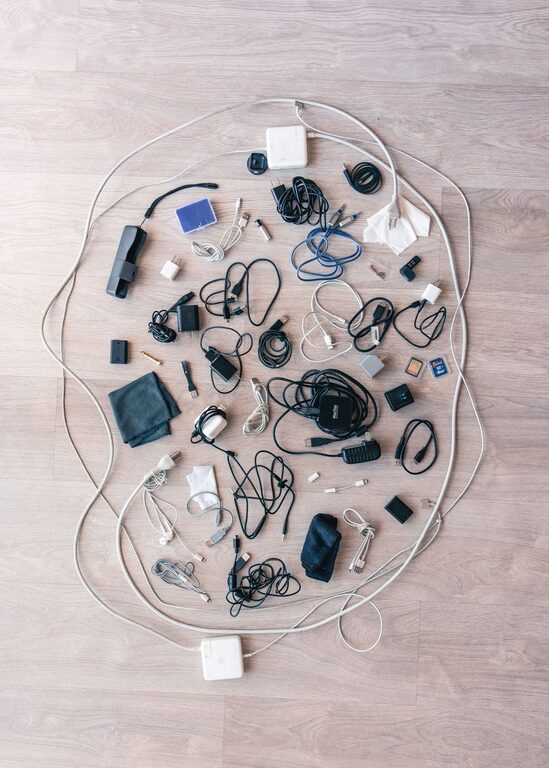
Keeping cables and chargers organized can be a challenge, especially as the number of devices in our homes and workspaces grows. Tangled cords not only look messy but can also lead to damage or frustration when you need to find the right charger quickly. Fortunately, with a few practical tips and tools, you can manage your cables neatly and keep your space clutter-free.
Why Organizing Cables Matters
Before diving into methods, it’s helpful to understand why cable organization is important:
– Safety: Tangled or loose cables can be tripping hazards and may cause electrical shorts.
– Durability: Cables that are bent or twisted excessively can wear out faster.
– Aesthetics: A tidy space feels more inviting and productive.
– Efficiency: Knowing exactly where your charger or cable is saves time.
Tips for Organizing Cables and Chargers
1. Sort and Declutter
Start by gathering all your cables and chargers in one place. Sort them by type (USB cables, power cords, audio cables, etc.) and by device. Take this opportunity to discard cables you no longer need or that are damaged.
2. Label Your Cables
Labeling helps you quickly identify each cable without tracing it back to the device. You can use:
– Washi tape with handwritten notes
– Pre-made cable labels
– Color-coded stickers
Make sure the labels are clear and durable.
3. Use Cable Ties and Straps
Keep excess cable length bundled neatly using cable ties or velcro straps. These are reusable and help prevent tangling. Avoid using rubber bands as they can degrade and stick to cables over time.
4. Utilize Cable Organizers and Holders
There are many products designed for cable organization:
– Cable management boxes: Hide power strips and excess cables.
– Cable clips or holders: Stick to your desk or wall to hold cables within reach.
– Cord sleeves or tubes: Bundle multiple cables together for a clean look.
– Drawer organizers: For storing chargers and cables not in use.
5. Store Chargers Separately
Since chargers can be bulky, consider storing them in a dedicated box or pouch. Using small zippered bags or compartments keeps them from tangling with cables.
6. Arrange by Frequency of Use
Keep frequently used cables and chargers easily accessible. Less frequently used ones can be stored away neatly in drawers or boxes.
7. Use Wall or Desk Mounts
Mounting chargers or power strips on or under your desk reduces floor clutter and keeps cables off the ground.
8. Keep Power Strips Visible but Organized
Use cable clips to route cords neatly from your power strip. Consider mounting the power strip to the underside of your desk.
DIY Cable Organization Ideas
If you enjoy a hands-on approach, try these DIY solutions:
– Binder clips: Use large binder clips on the edge of your desk to hold chargers or cables.
– Toilet paper rolls: Wrap cables neatly and store them inside decorated toilet paper rolls.
– Shoe boxes: Use small boxes divided with cardboard for storing cables separately.
– Magnetic strips: Attach magnets to cables and mount a magnetic strip on your desk or wall.
Maintaining Your Cable Organization
Cable management isn’t a one-time task. Make it a habit to:
– Regularly check and re-sort cables.
– Replace worn-out cables.
– Update labels if you add or remove devices.
– Store cables back in their designated spots after use.
Final Thoughts
Organizing your cables and chargers doesn’t have to be complicated or expensive. With a little time and some simple tools, you can create a neat, efficient, and safe environment. Whether it’s for your home office, entertainment center, or travel gear, good cable management helps keep your tech running smoothly and your space looking great.
Try out some of these tips today and enjoy a clutter-free space tomorrow!